

rally
VS Code integration for Rally releases, projects, features, user stories, tasks, and discussions through Command Palette actions and @rally chat workflows.
By Peter Corazao ([email protected])
VS Code Rally Workflow
What It Does
Rally for VS Code keeps Rally project work inside the editor.
Use Command Palette actions to configure Rally access, choose a default release, and pick project or feature context. Then use @rally in VS Code chat for release, project, feature, story, task, and discussion workflows.
Agent Reference
Use the agent asset as the source of truth for runtime behavior.
Canonical workflow reference for Rally scope, tool boundaries, setup failures, constraints, and example prompts.
Open Rally AgentSetup Flow
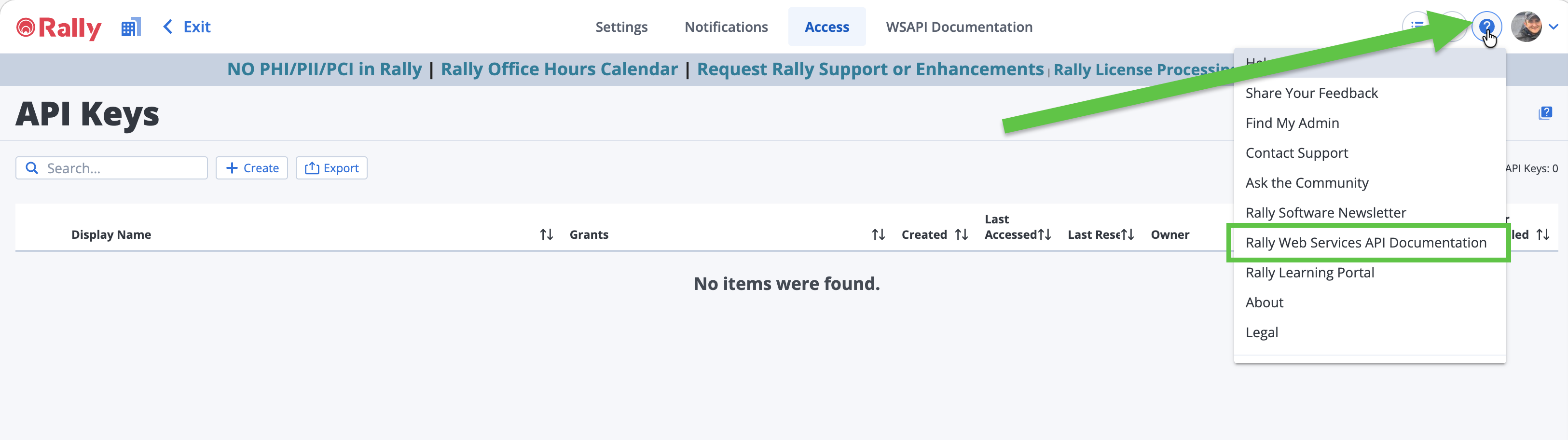
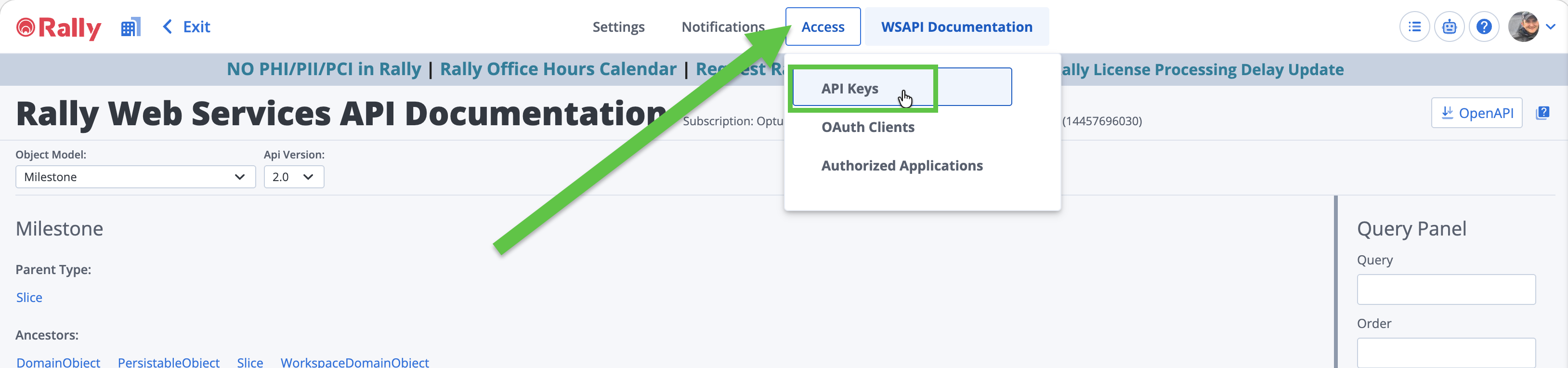
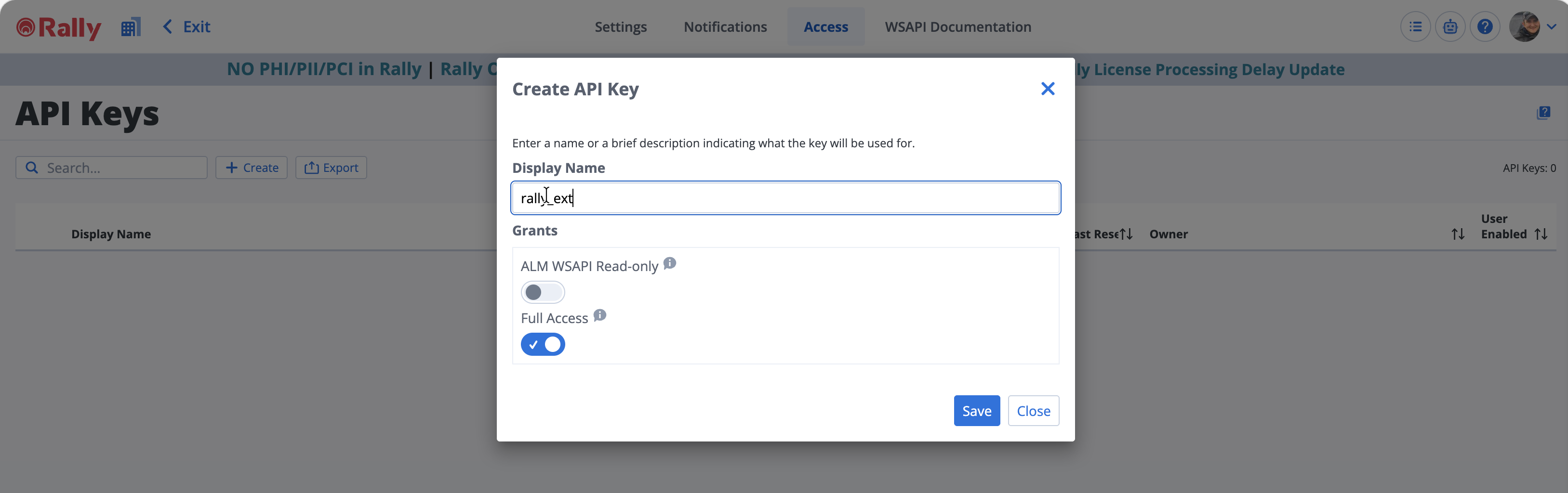
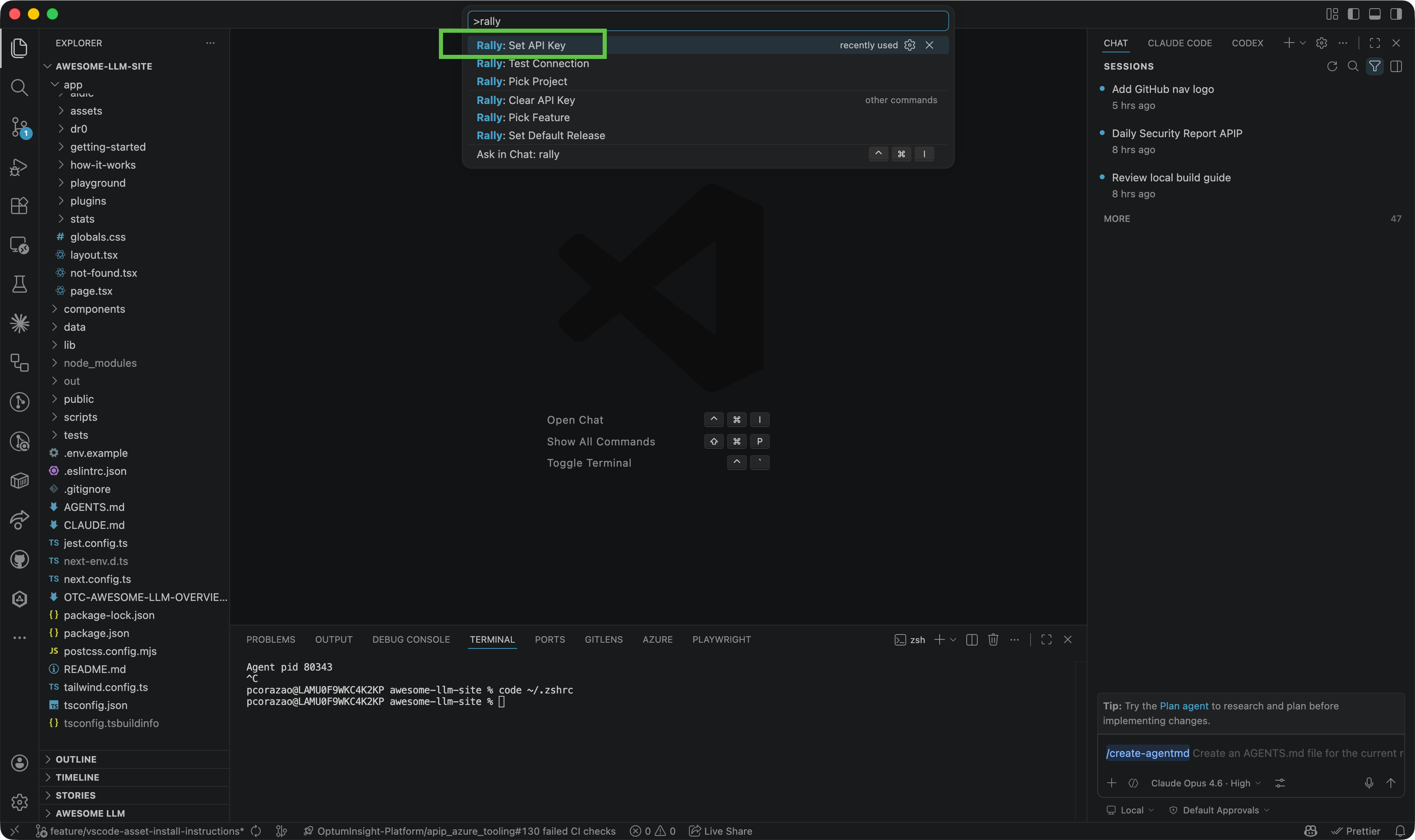
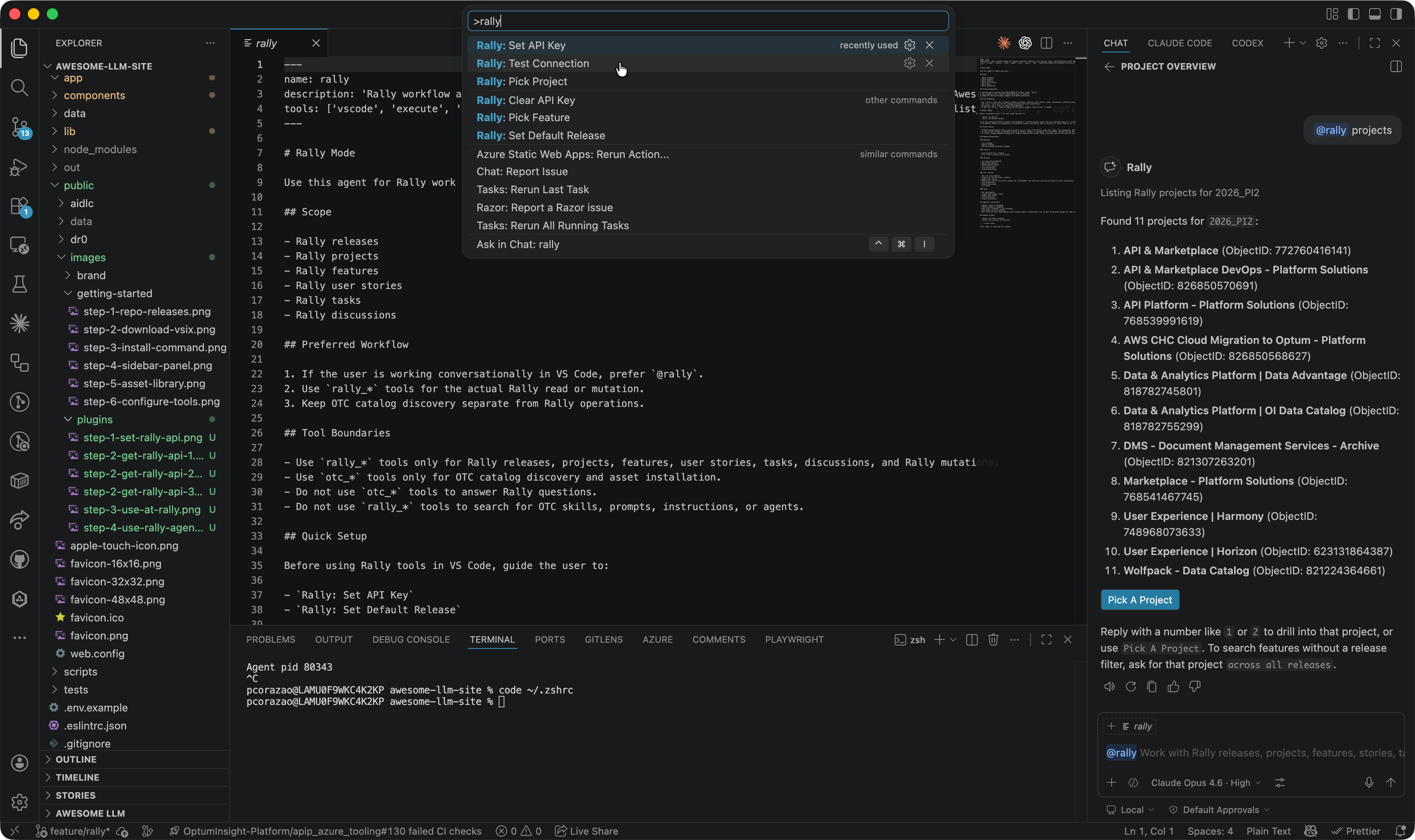
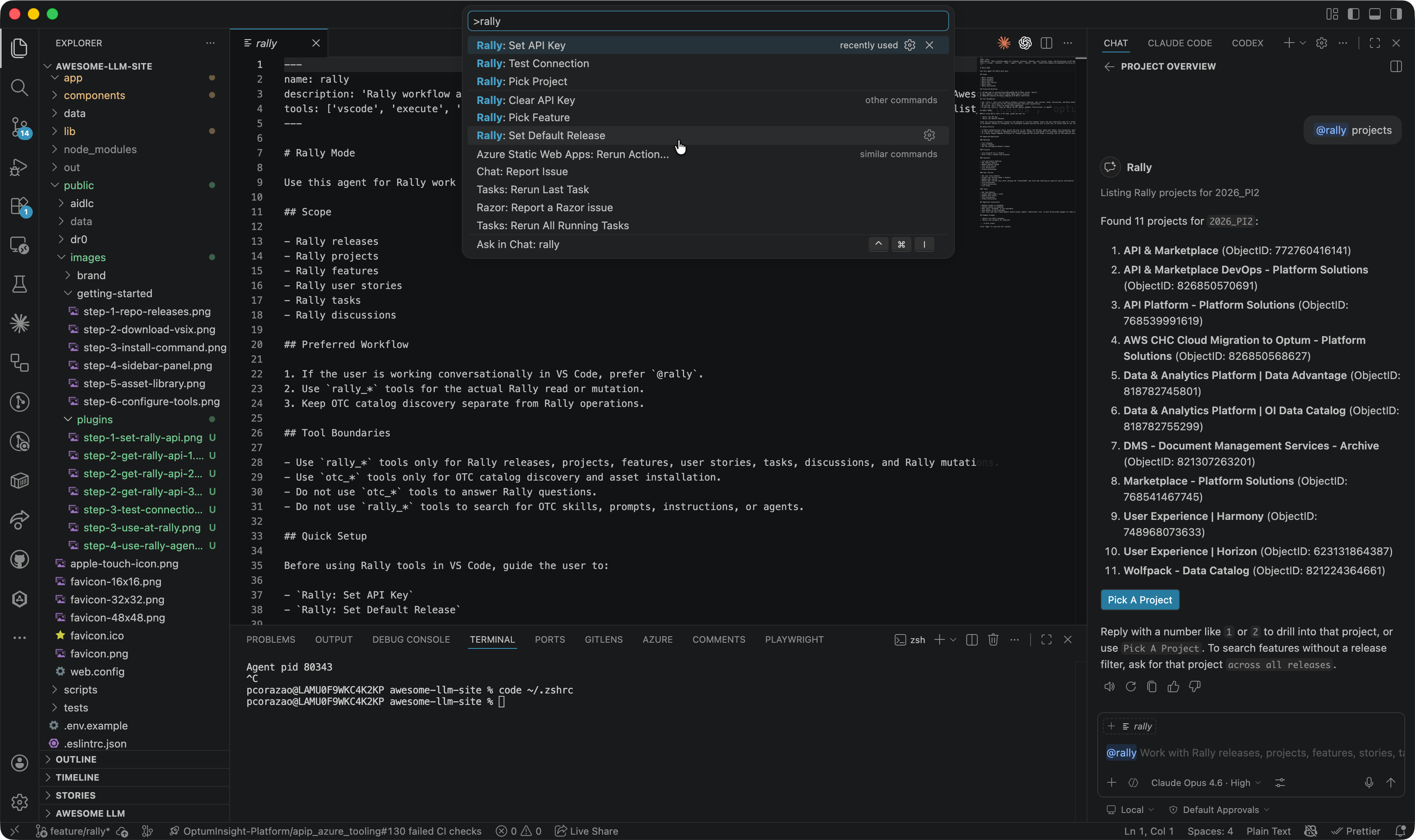
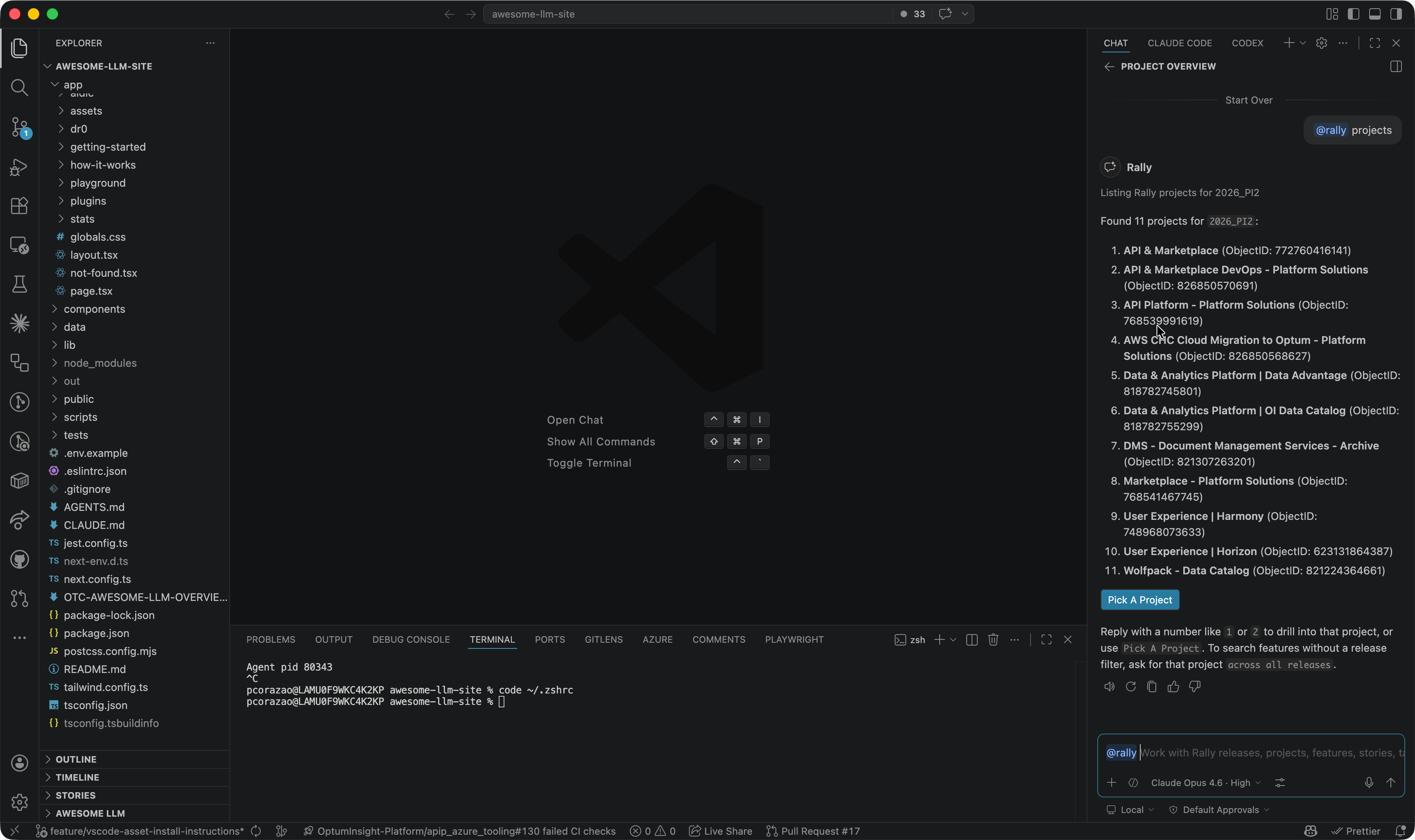
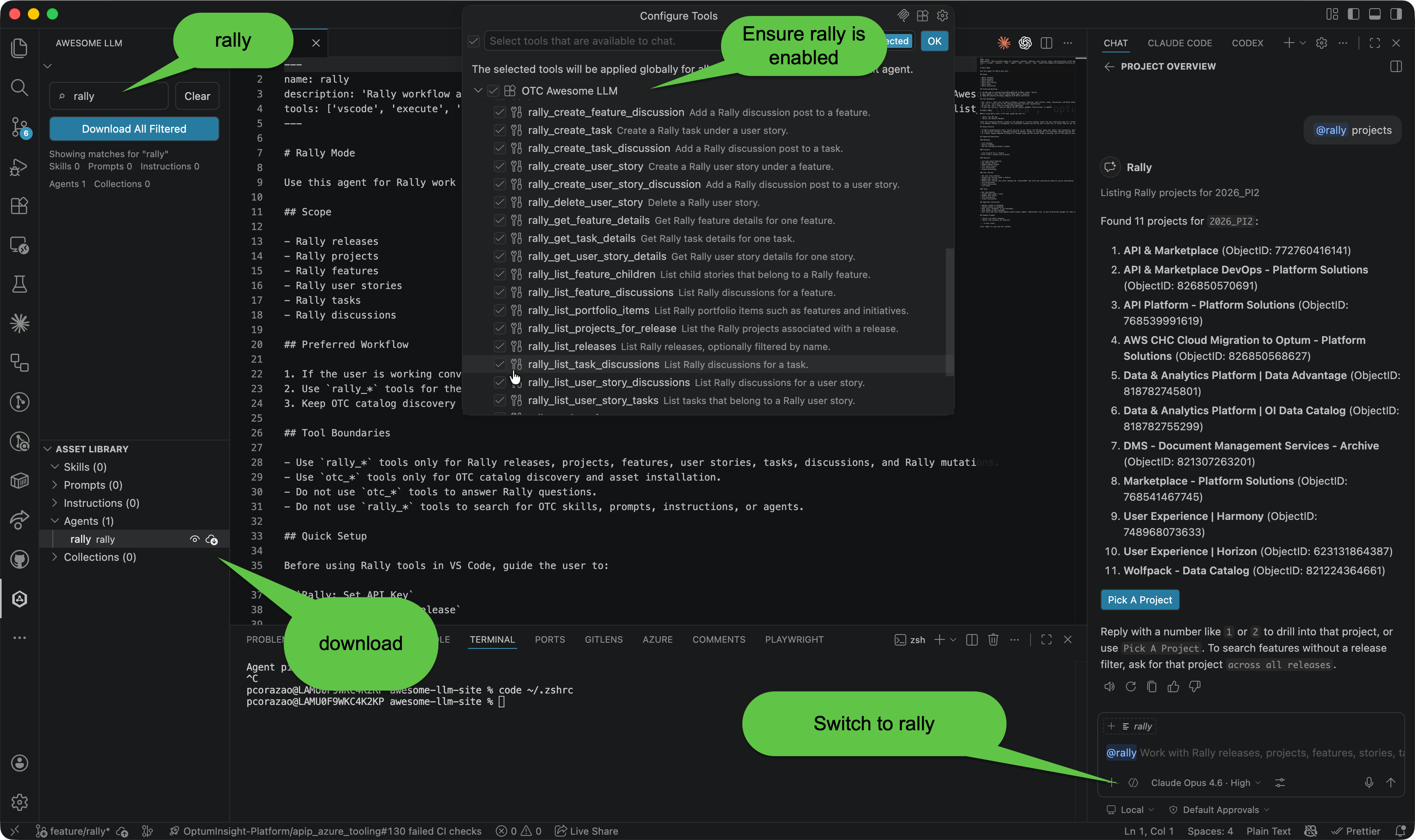
Commands And Chat
Rally: Set API Key
Stores the Rally API key used by the VS Code workflow.
Rally: Test Connection
Verifies that the configured Rally API key can reach Rally.
Rally: Set Default Release
Defines the release used when prompts refer to the current release.
Rally: Pick Project
Selects a Rally project for scoped chat and command workflows.
Rally: Pick Feature
Selects a feature for story, task, and discussion workflows.
@rally
Chat participant for conversational Rally work in VS Code.
Example Prompts
@rally help@rally List my Rally projects@rally What projects do I have in the current release?@rally List projects for 2026_PI2@rally List Rally releases@rally Show releases matching "PI2"@rally List portfolio items@rally Look at F12345@rally Look at US12345@rally Look at TA12345@rally List features in project "Platform Solutions" in release 2026_PI2@rally Show feature F12345 for project "Platform Solutions" in release 2026_PI2@rally List child stories for feature F12345 in project "Platform Solutions" in release 2026_PI2@rally List tasks for user story US12345@rally Show F12345 comments@rally Show US12345 thread@rally Show TA12345 discussions@rally Let's complete this task@rally Update description: Added the healthcheck endpoint and close this task@rally Add note: Waiting on QA validation@rally Add discussion: Waiting on product signoff@rally Show portfolio items named "Core Platform"@rally Create user story for F1418637@rally Update US10154570 description with "..."@rally Delete US10154570